
FINTRX 360

Seamlessly Access FINTRX Data In LinkedIn

Enrich your LinkedIn experience with the power of FINTRX 360°. Infuse our best-in-class private wealth data directly within LinkedIn. Optimize your networking efforts, build strategic connections, and win more business.
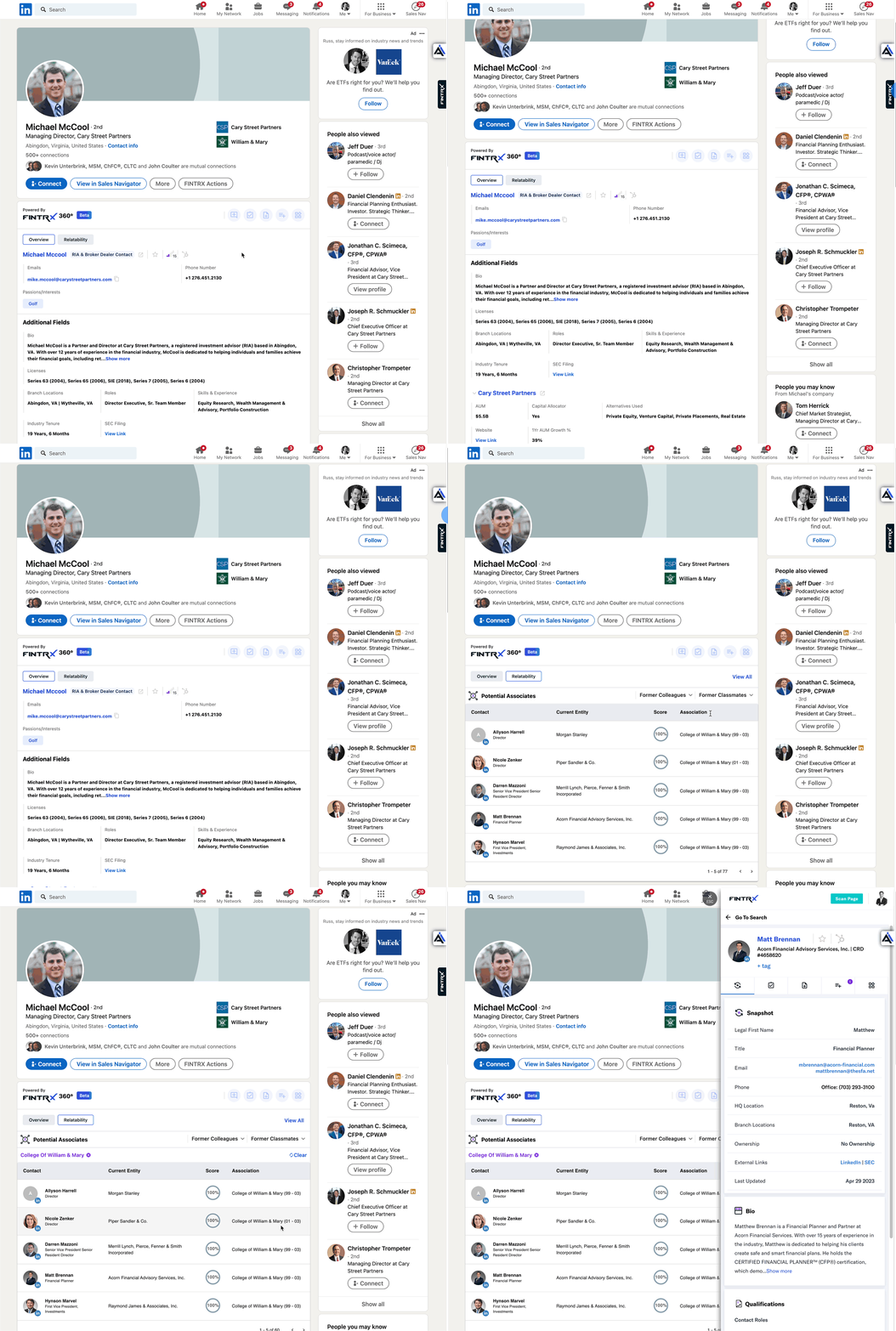
FINTRX 360 plugin displaying private wealth data inside a LinkedIn profile
FINTRX data meets LinkedIn

Bring the power of FINTRX to LinkedIn

See the power of delivering FINTRX's market-leading family office and investment advisor data natively inside of LinkedIn.

01

50+ Datapoints Available

Customize which FINTRX data flows into LinkedIn with a single click.

02

View News Mentions

Pull our real-time news engine into LinkedIn to never miss a relevant article.

03

Email Addresses Included

View and send emails directly from LinkedIn.

04

Ice-Breakers & Smart Bios

Leverage our proprietary Smart Bios, including conversation starters and Affinity relatability scores.

FINTRX data meets LinkedIn

Experience the power of FINTRX family office & RIA data natively within LinkedIn

FINTRX 360 unlocks a new way to experience LinkedIn. Gone are the days of hopping back and forth between platforms to find the data you need to be effective. With this first-of-a-kind integration, FINTRX data is delivered to you in real time, seamlessly within LinkedIn.
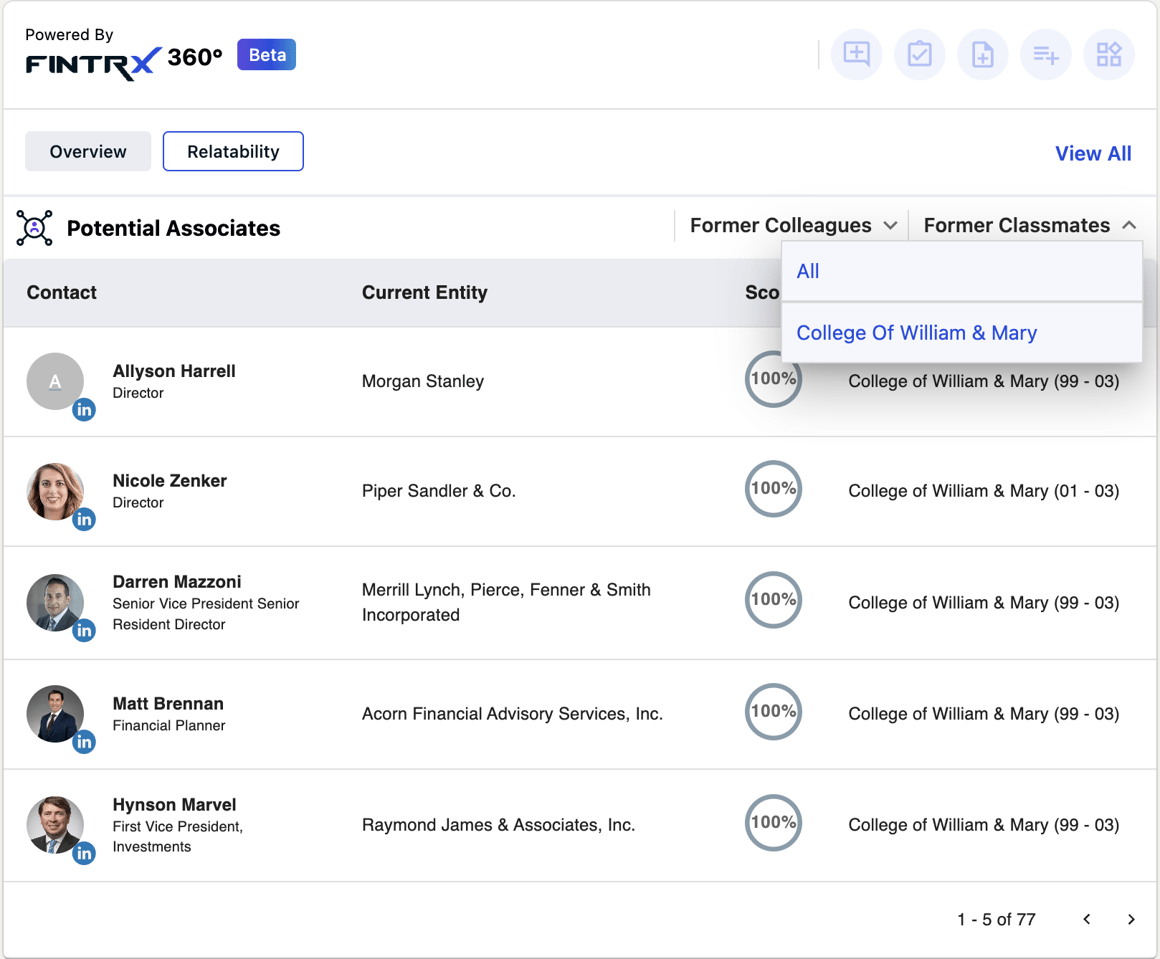
FINTRX 360 panel showing family office and RIA data inside LinkedIn
Access shared alumni & work history

Pull in potential associates to drive warm introduction opportunities

Pinpoint potential points of connection using FINTRX's expansive database of 1M+ family office & registered investment advisor contacts. Uncover shared university ties, years of overlap and previous employment ties, all within LinkedIn.
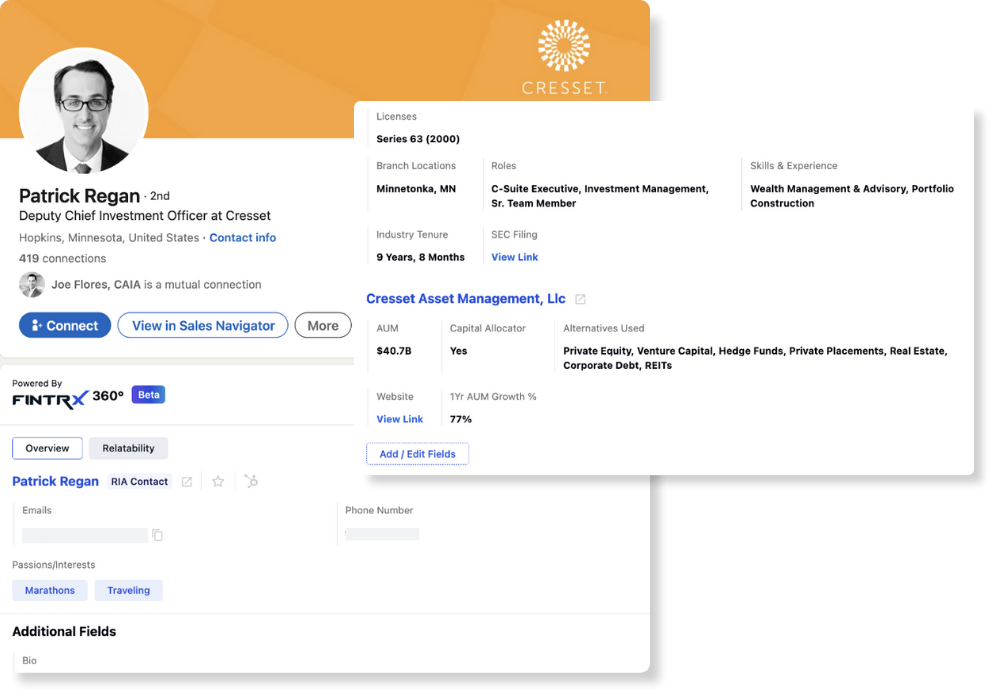
Potential associates and shared work history surfaced by FINTRX 360
Customize your data experience

Flexible customization of your 360 experience. FINTRX data, your way.

Choose from 50+ FINTRX data points to view on each record within LinkedIn. Pull in emails, passions, interests, smart bios, contact roles & responsibilities, disclosures, firm AUM, growth rates, and much more.
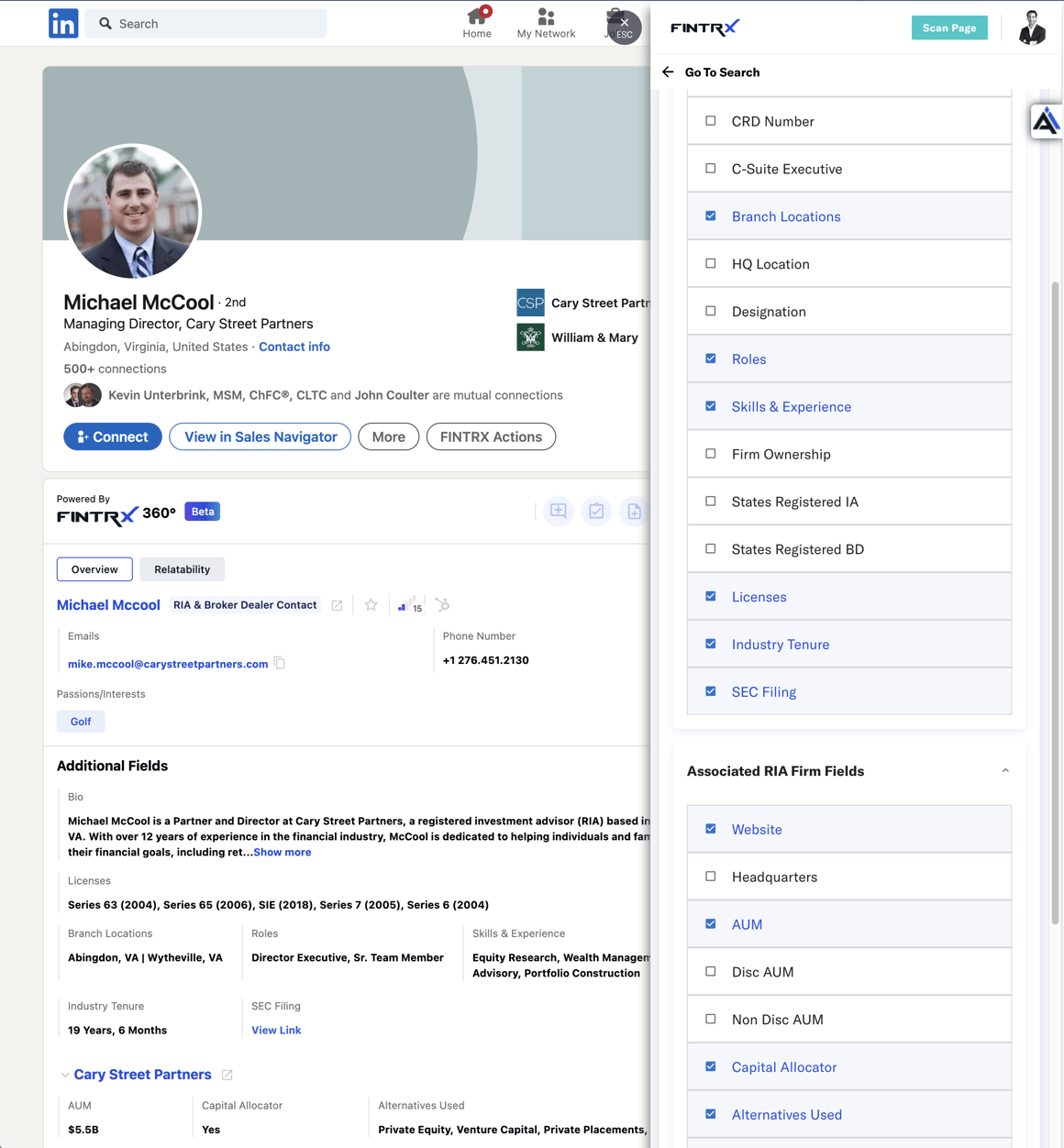
Customization settings for which FINTRX data points display in LinkedIn
FAQ

FINTRX 360 LinkedIn Plugin questions

Still deciding? Your account team can walk through setup on a short call.

Do I need a paid version of LinkedIn to use FINTRX 360?

No. FINTRX 360 LinkedIn Plugin works with both free and paid LinkedIn plans. Simply connect your account and FINTRX data will begin displaying immediately.

Can I sync contacts from LinkedIn to my CRM using the FINTRX 360 feature?

Yes, you can easily sync your LinkedIn contacts with any of our CRM integrations (Salesforce, HubSpot, Microsoft Dynamics) directly from LinkedIn with the FINTRX 360 feature. This ensures that all relevant data is seamlessly transferred and kept up to date across platforms.

What is the FINTRX 360 feature and how does it work?

The FINTRX 360 Plugin combines the comprehensive family office and registered investment advisor (RIA) intelligence of FINTRX with LinkedIn's platform. 360 provides FINTRX users with seamless access to valuable information about their contacts, prospects, and connections within the LinkedIn interface.

Does the plugin provide firm data?

Yes, the plugin provides comprehensive firm data. Users can access detailed information about family offices and registered investment advisors (RIAs) through the FINTRX 360 feature. This includes firm profiles, investment strategies, AUM (Assets Under Management), investment preferences, firm growth rates, and more.

FINTRX 360 Plugin

Start leveraging your network to win business.